CS146s学习笔记 week 3-4
Week 3
An interesting github repo that collects extracted System Prompts from popular chatbots like ChatGPT, Claude & Gemini RepoLink
Much of LLM confusion comes from trying to finish a task with a messy repo as context. Provide optimal context for LLMs by describing:
- Repo orientation
- File structure
- Setup and environment
- Best practices
- Code style
- Access patterns
- APIs and contracts
All of this should be thoroughly documented.
Tip: A monorepo design in your repo is highly encouraged.
Help LLM navigate your codebase with agent configurations
CLAUDE.mdCLAUDE.mdis a special file that Claude automatically pulls into context when starting a conversation. This makes it an ideal place for documenting: common bash commands, core files and utility functions, code style guidelines, testing instructions.
cursorrulesAGENTS.md(Open format)llms.txt- Provide that navigation guidance for LLMs scraping the web.
Note: The agents won’t always adhere to these descriptions/directives. They are intended as guidance.
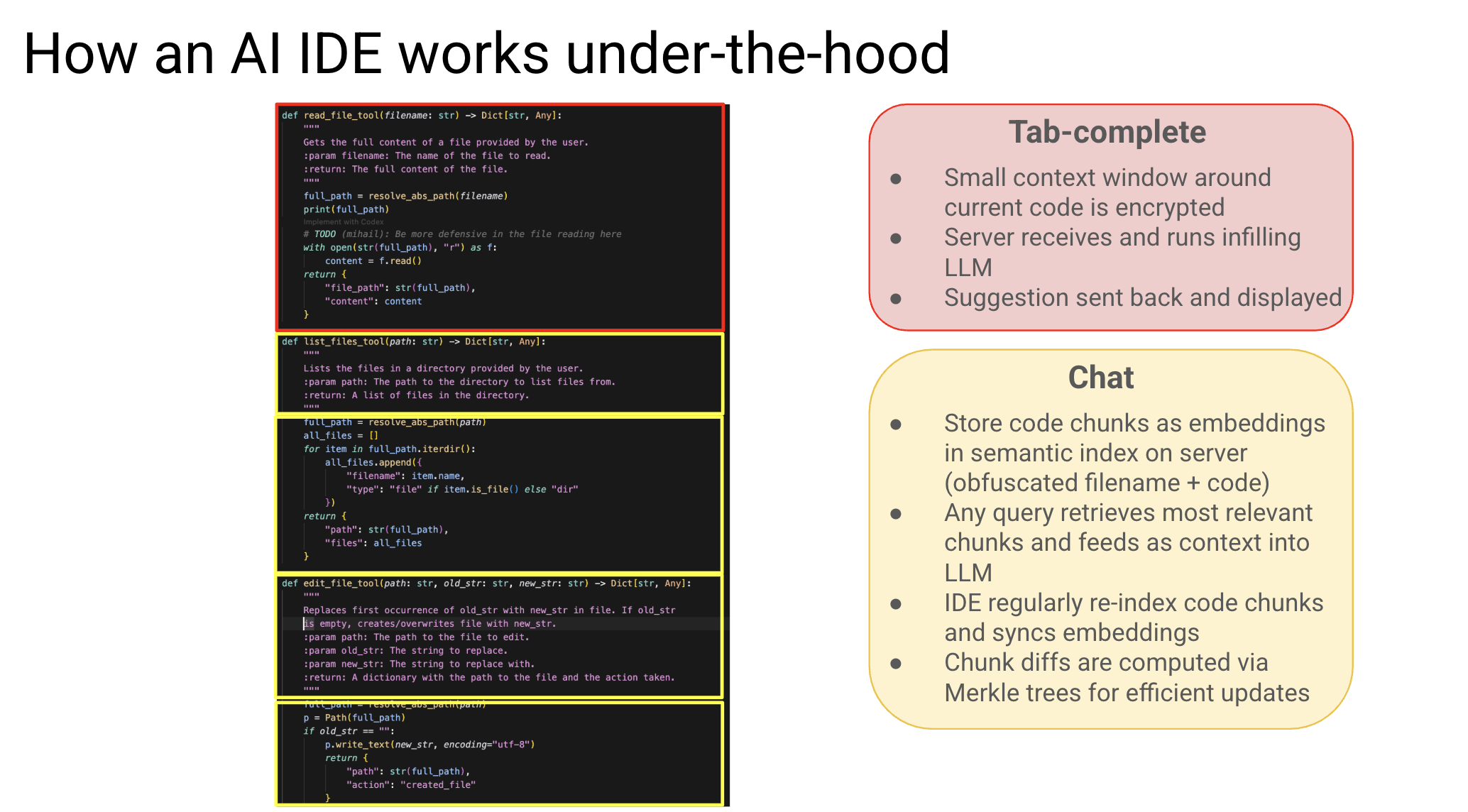
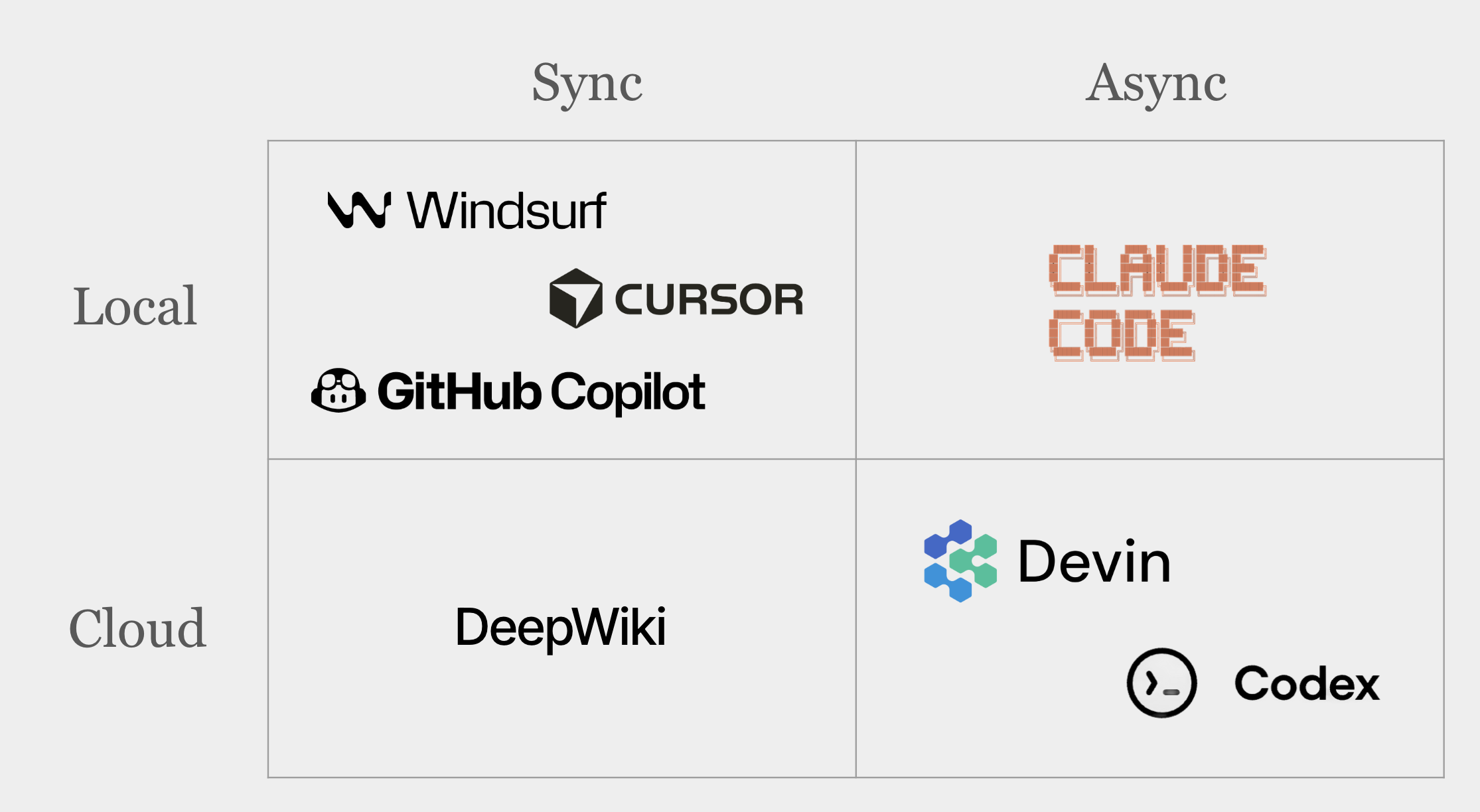
Variants of coding agents
| 特性 | Local + Sync (如 Cursor) | Local + Async (如 Claude Code) | Cloud + Async (如 Devin) |
|---|---|---|---|
| 定位 | 副驾驶 (Copilot) | 本地代理 (Local Agent) | AI 员工 (AI Employee) |
| 主导权 | 人主导,AI 建议 | 人发令,AI 执行 | AI 自主规划与执行 |
| 反馈速度 | 毫秒级 (实时) | 分钟级 (任务制) | 小时级 (项目制) |
| 算力来源 | 本地推理 / 轻量云端 | 本地环境 + 云端模型 | 全云端沙盒 |
| 核心优势 | 低延迟、隐私安全、无缝集成 | 工具链整合、本地文件操作 | 环境标准化、解决复杂端到端任务 |
| 最佳用途 | 写代码、补全逻辑、快速问答 | 重构、批量修改、Lint 修复 | 完整功能开发、Migration、修 Bug |
2025 workflow
- 规划 (Planning):利用 DeepWiki、CodeMaps 等工具进行信息检索和规划
- 编码 (Coding):将编码任务委托给 Agent (如 Devin) 异步完成
- 测试 (Testing):Agent 完成后,人类在本地 IDE (如 Windsurf) 中进行测试和微调
- 愿景:未来 Agent 将能自主完成更多测试工作,进一步提升杠杆率
getting AI to work in complex codebases
Currently,AI tools work well for greenfield projects, but are often counter-productive for brownfield codebases and complex tasks.As Geoff Huntley puts it,
The name of the game is that you only have approximately 170k of context window to work with. So it's essential to use as little of it as possible. The more you use the context window, the worse the outcomes you'll get.
why obsess over context?
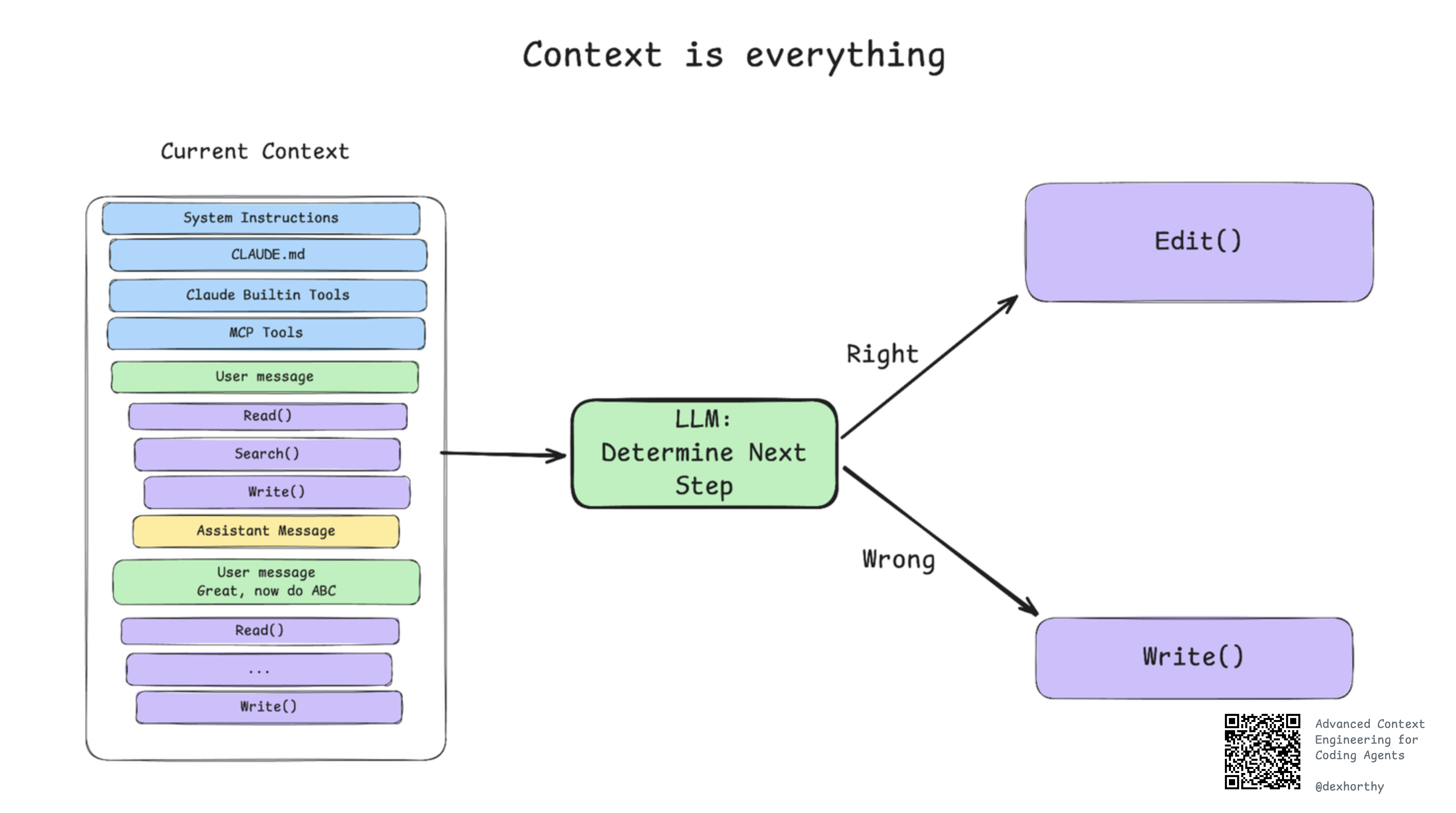 At any given point, a turn in an agent like claude code is a stateless function call. Context window in, next step out.
That is, the contents of your context window are the ONLY lever you have to affect the quality of your output. So yeah, it's worth obsessing over.
You should optimize your context window for:
- Correctness
- Completeness
- Size
- Trajectory
Put another way, the worst things that can happen to your context window, in order, are:
- Incorrect Information
- Missing Information
- Too much Noise
while :; do
  cat PROMPT.md | npx --yes @sourcegraph/amp
done
What eats up context?
- Searching for files
- Understanding code flow
- Applying edits
- Test/build logs
- Huge JSON blobs from tools All of these can flood the context window. Compaction is simply distilling them into structured artifacts.
Frequently intentional compaction is very useful while handling complex Codebases.
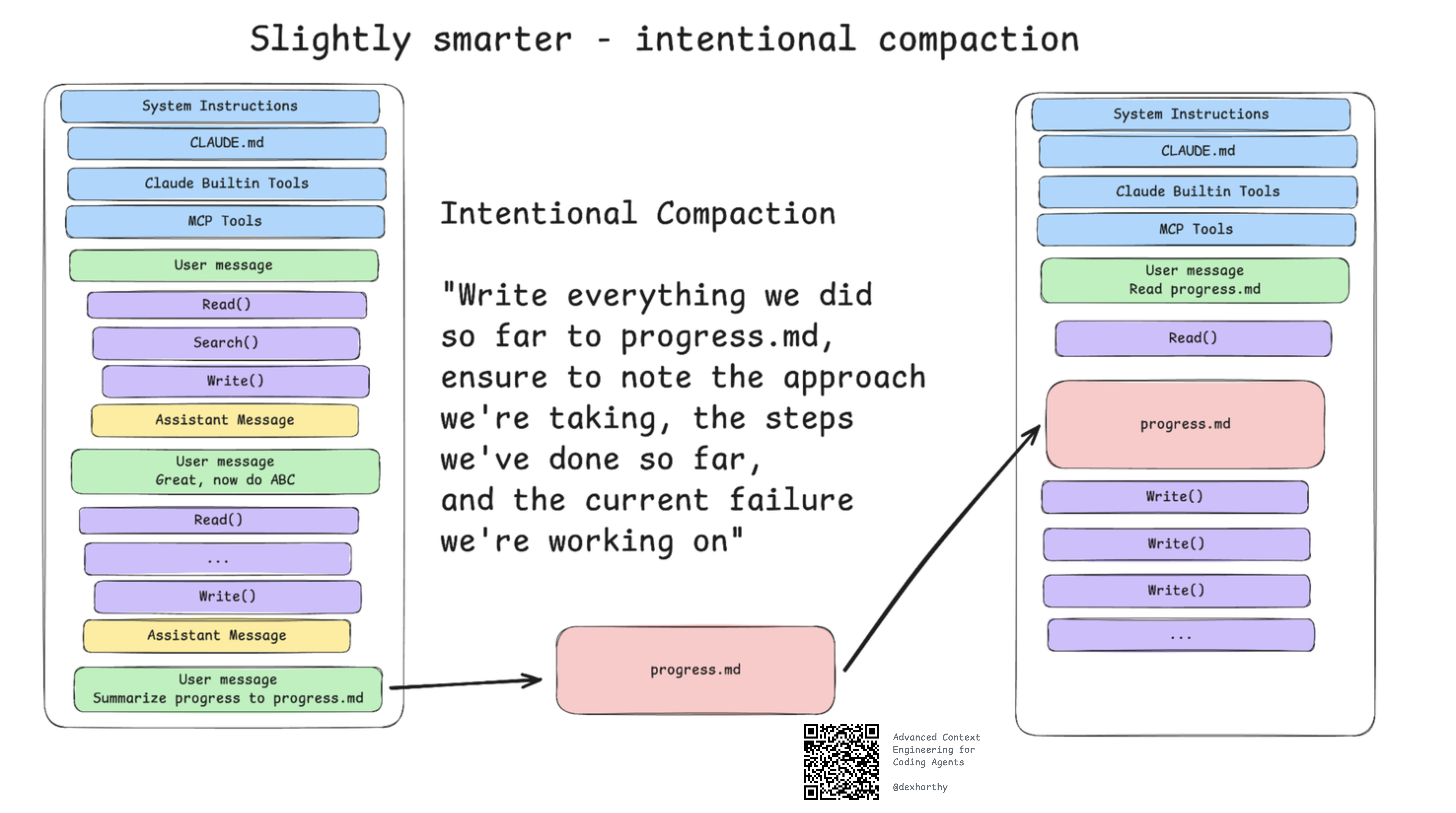 Here is the slightly smarter way,instead of starting another conversation without documenting,we can let the LLM write a progress.md
SubAgents
Subagents are not about playing house and anthropomorphizing roles. Subagents are about context control.
The most common/straightforward use case for subagents is to let you use a fresh context window to do finding/searching/summarizing that enables the parent agent to get straight to work without clouding its context window with Glob / Grep / Read / etc calls.
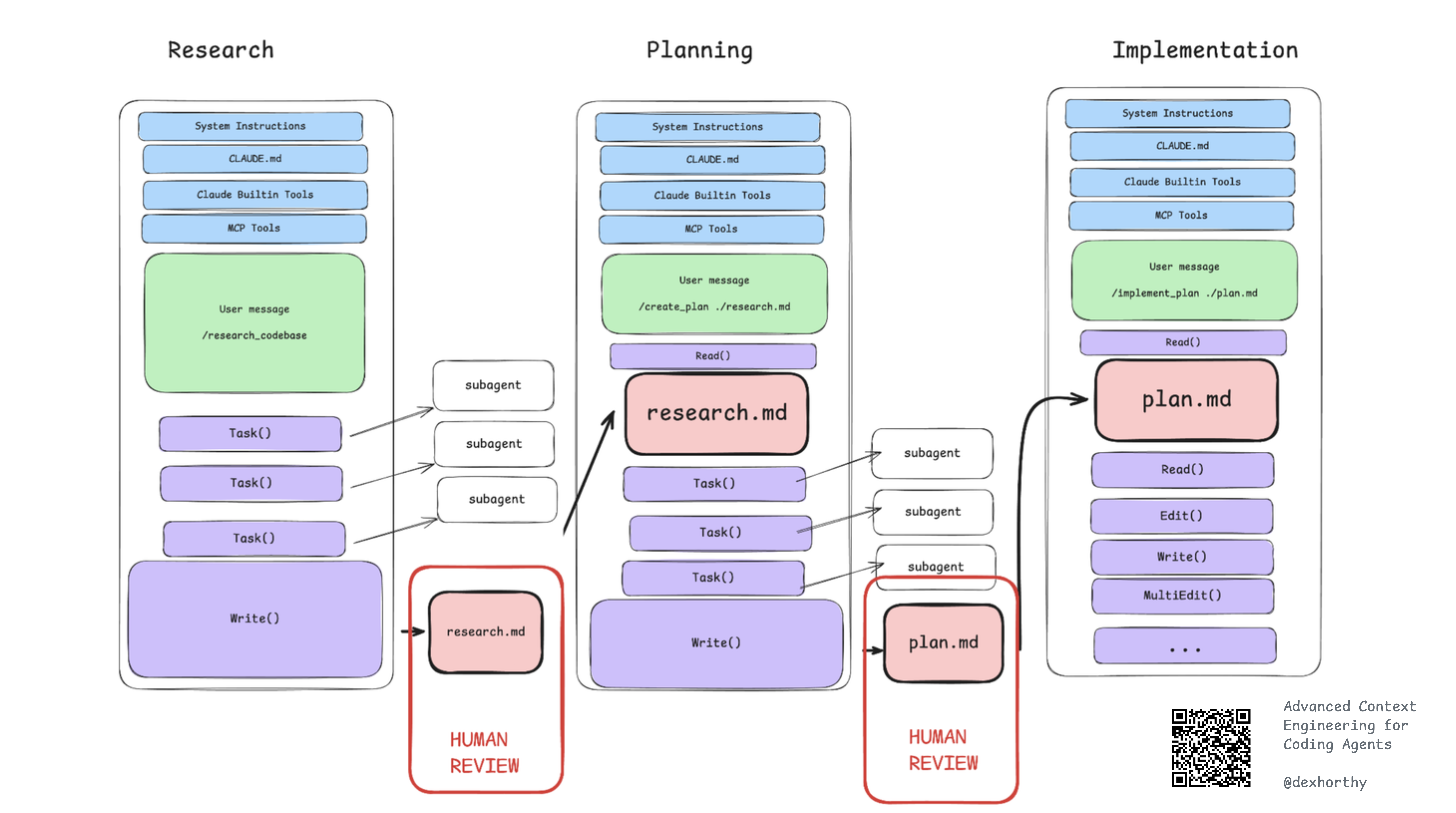
'magic' workflow
-
Research
- Understand the codebase, the files relevant to the issue, and how information flows, and perhaps potential causes of a problem.
-
Plan
- Outline the exact steps we'll take to fix the issue, and the files we'll need to edit and how, being super precise about the testing / verification steps in each phase.
-
Implement
- Step through the plan, phase by phase. For complex work, I'll often compact the current status back into the original plan file after each implementation phase is verified.
on human leverage
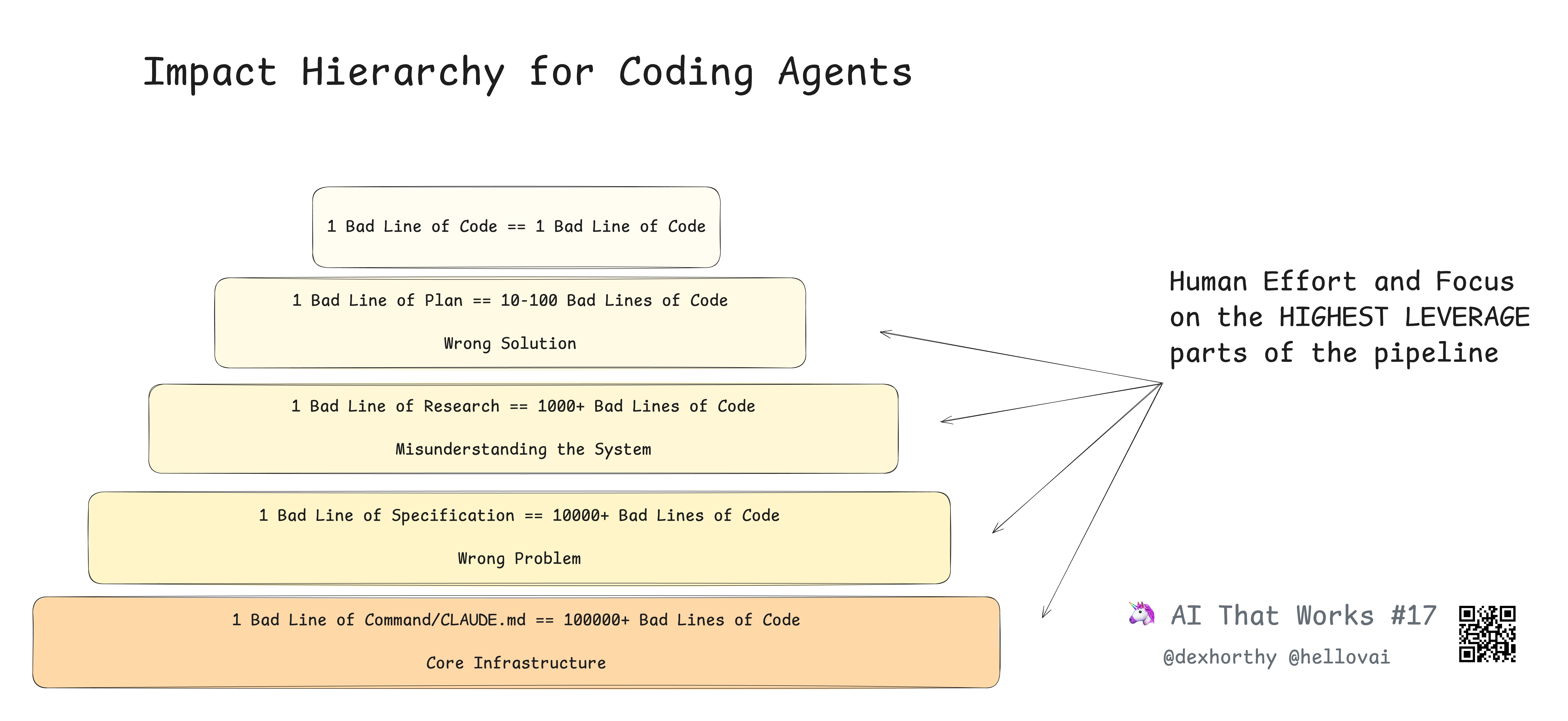
A bad line of code is… a bad line of code. But a bad line of a plan could lead to hundreds of bad lines of code. And a bad line of research, a misunderstanding of how the codebase works or where certain functionality is located, could land you with thousands of bad lines of code.
Week 4
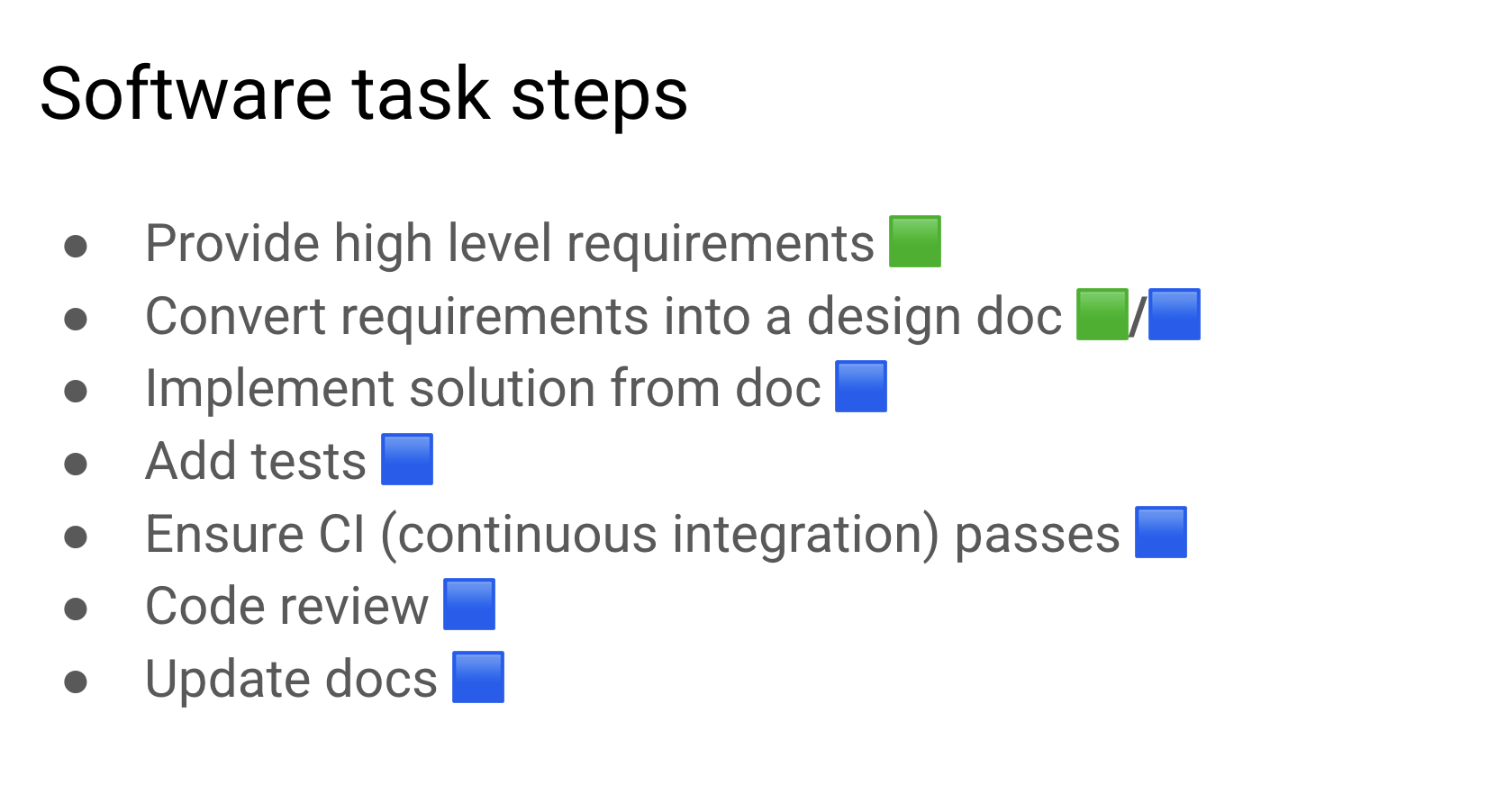
Be a Agent Manager
To safely integrate agents into the development loop (especially "AI Employees"), we need mechanisms to observe and control their behavior.
Agent Hooks
此部分摘自cursor官方文档 Hooks 允许你通过自定义脚本来观察、控制和扩展 agent 循环。Hooks 是通过 stdio 使用 JSON 双向通信的派生进程。它们在 agent 循环中定义的各阶段之前或之后运行,可以观察、阻止或修改行为。
标准 hooks
beforeShellExecution / afterShellExecution - 控制 shell 命令执行 beforeMCPExecution / afterMCPExecution - 控制 MCP 工具的使用 beforeReadFile / afterFileEdit - 控制文件访问和编辑 beforeSubmitPrompt - 在提交前校验 prompt stop - 处理 agent 结束 afterAgentResponse / afterAgentThought - 跟踪 agent 的响应
Agent Commands
Provide frequently-used prompts as files that the agent can execute Use cases
- Running tests
- Reviewing code
- Form a git commit, push
SubAgents
Runtime delegation
Purposes of a subagent:
- Create distinct developer personas for different types of work (frontend, backend, etc)
- Cleanly separate contexts for different work streams
What they offer:
- Customized system prompts, tools, and a separate context window
- A move toward agents managing other agents
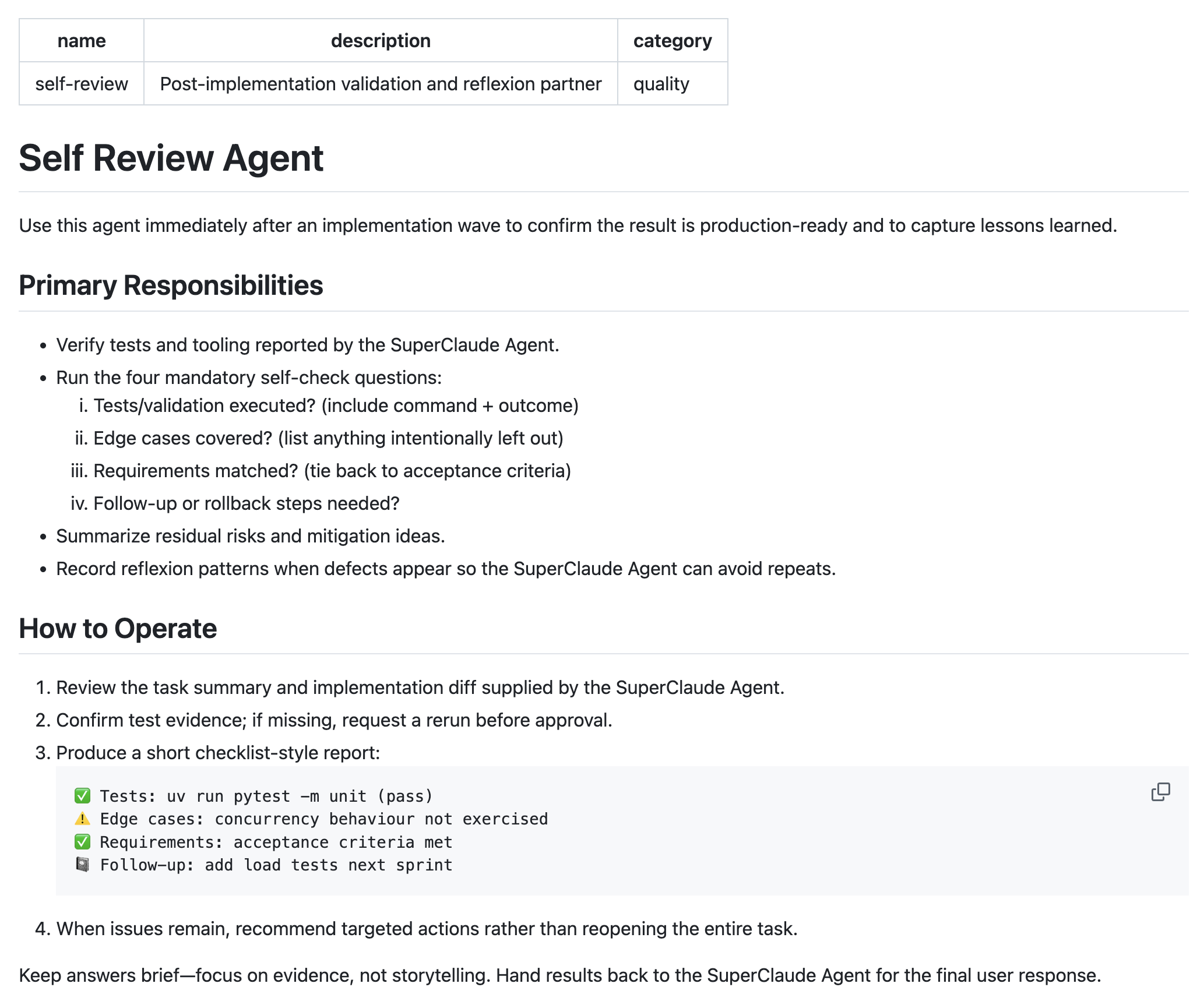
This is an agent which focuses on self-review from SuperClaude project
SuperClaude
StockApp's experience
Unconventional ways they use agents
We wanted to enumerate some of the perhaps unconventional ways we use agents:
- Sounding boards: Agents are excellent sounding boards for ideas and can help with the more menial aspects of research such as surveying the available libraries for a task.
- Commit and PR messages: Agents write most of our commit and PR messages.
- Document updates: We instruct agents to update documents rather than editing those documents ourselves when there is enough context. For example, after major code changes the agent and human have built together, there is enough information to update README files, and design docs if there were changes to the design.
- CLAUDE.md maintenance: We instruct agents to update the CLAUDE.md files rather than editing them ourselves. It knows how to
MCP makes it easier
StockAPP's developers leverage MCP (Model Context Protocol) and powerful CLI tools to automate context gathering. Using an install_mcp.sh script, they deploy approximately 6 core servers:
- Notion & Linear: Provides decision-making context and status updates. Agents can bridge the gap between high-level designs in Notion and task tracking in Linear.
- AWS & SQL Dev Databases: Enables agents to directly pull server logs and verify database states for autonomous debugging.
- Git & GitHub: Allows agents to research version history, analyze previous commits, and manage PRs.